
🌳Making Your Own Reclist + oto.ini
When you think you've accumulated enough experience with recording, configuring, and tuning in UTAU......making a reclist is a great way to further customize and tailor your voicebank!
First, let's create some priorities:
- CV, CVVC, VCV, or any other method?- Do you want your voicebank to sing other languages?- Do you want to add any extras?- How many syllables per line? How long do you want to record?- How do you plan to configure your reclist?
Then, let's finally start with a source!
You can:
- Start from scratch with a .txt file (Shift-JIS formatting for OREMO compatibility)- Use a pre-existing reclist (likely also a .txt file)- Use a reclist generator (like this)
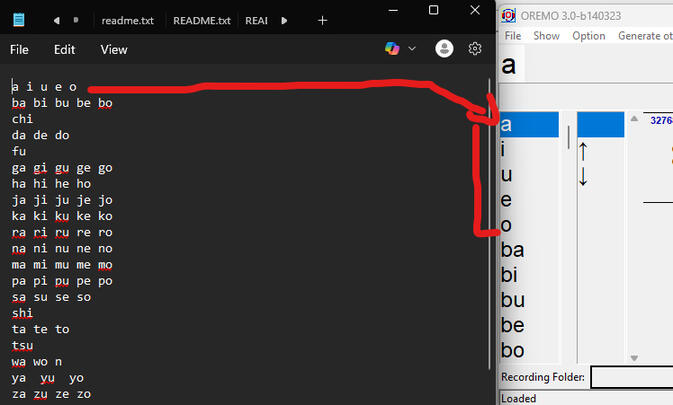
When creating or editing your fresh reclist, consider the following:
- Spaces or new lines between letters results in a 'separation' in OREMO.- Do the lines have the power to cover all your intended implementations?- Do you need to make separate reclists to split the recording experience?
If you feel like you're done with your reclist, you can move onto oto.ini considerations:
- Automatic oto.ini generation.- Base oto.ini adjustments.- Uniform oto.ini values.
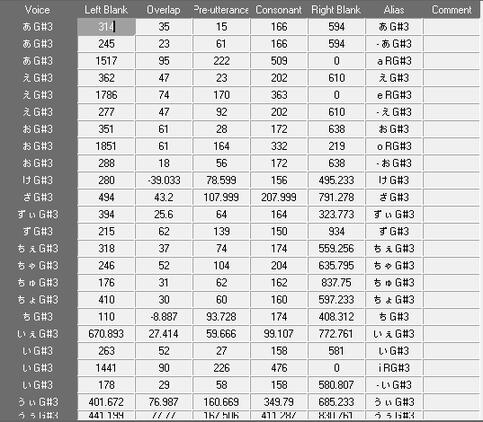
For making your base oto.ini, it would be possible to do all the configuration and aliasing work in Setparam, vLabeler, UTAU, or any text editor, starting from scratch or working off of a base.
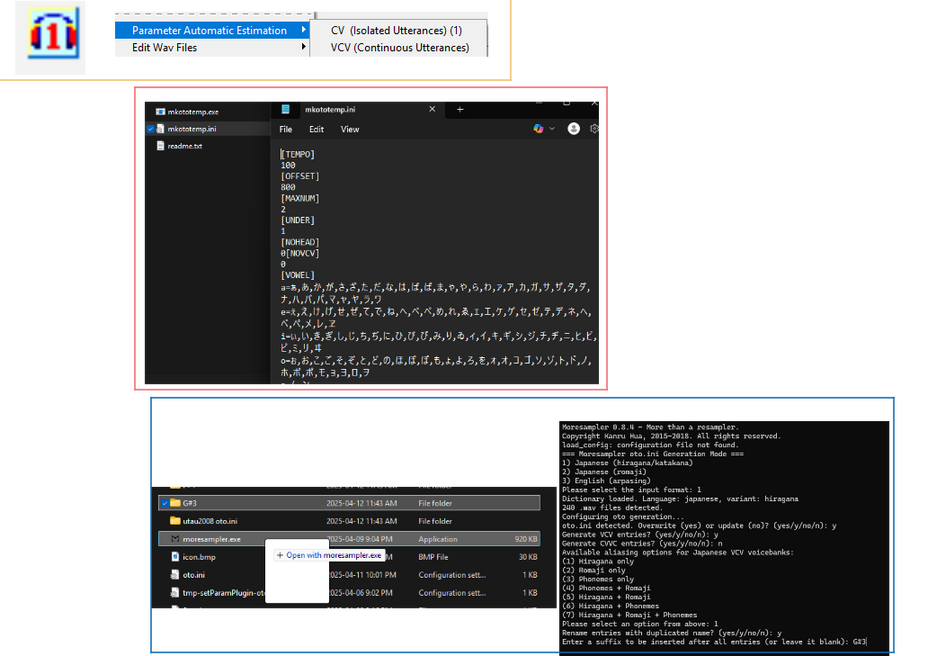
However, there are certain tools that can automate the process:
- Setparam has an auto-oto generation option for CV and VCV voicebanks. The auto-CV is based on volume while the auto-VCV is based on BPM.- mkototemp500 has an auto-oto generation option for CVVC, and can be adjusted for numerous CVVC-based languages. It's BPM based, and some learning of its configuration is suggested.- moresampler has an AI-based approach to CV, VCV, CVVC, and Arpasing auto-oto. However, there are common issues with overlap, cutoff placements, aliasing, and general inconsistencies that can be tamed with an understanding of its limitations.
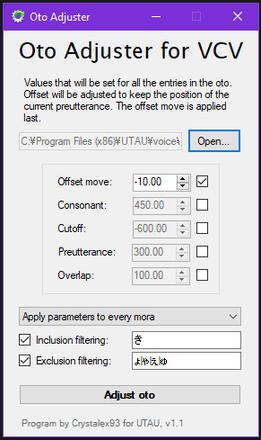
If you want to make quick oto.ini values, you may want to get into understanding and writing base filters for Crytalex93's Oto Adjuster v.1.1.1This can easily create uniform values for VCV oto lines generated by moresampler......or with more effort, make the same influence over ANY kind of UTAU method.

Using OpenUtau's Automatic Audio-to-Note Tool
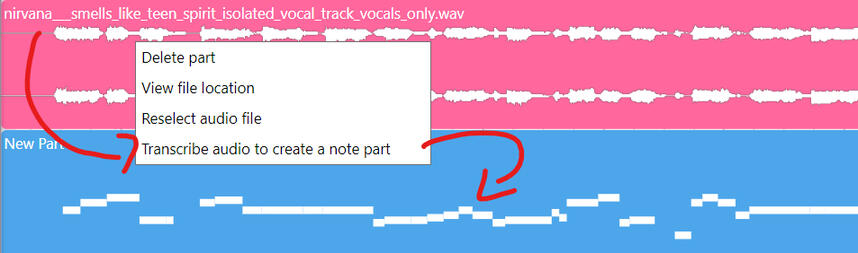
OpenUtau has a tool that automatically turns a clean vocal sample into a USTX track!
(It's recommended to find your intended song's BPM and implement it into the USTX for the exported track to be added properly.)

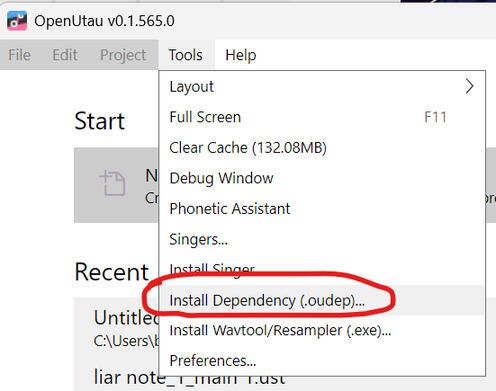
Afterwards, in OpenUtau, go to the tool section and click "Install Dependency."
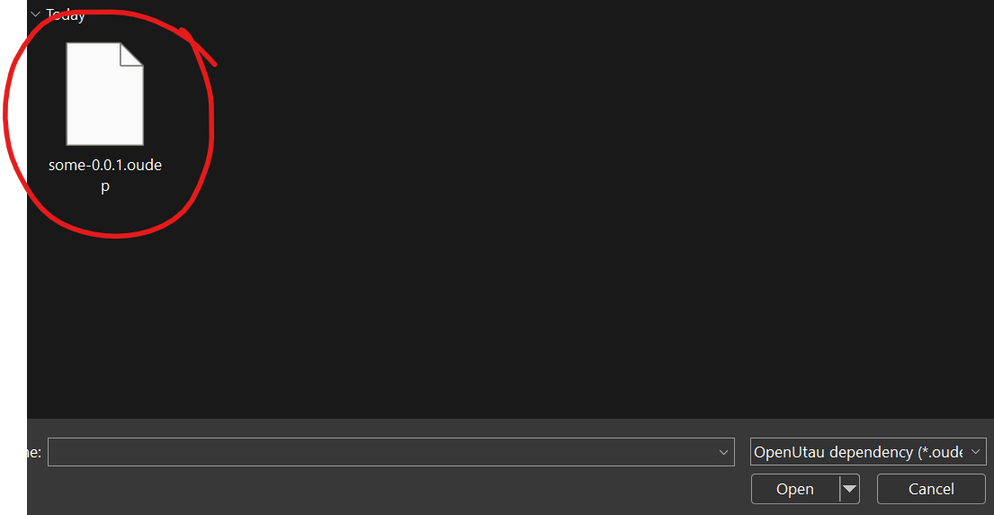
Click the downloaded "some-x.x.x.oudep"(Note: x = any number.)
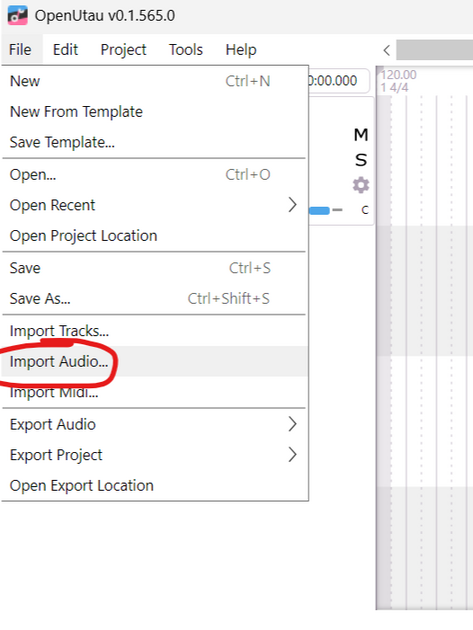
After the tool has finished installing, and in the project interface......Navigate to the File section and click "Import Audio..."
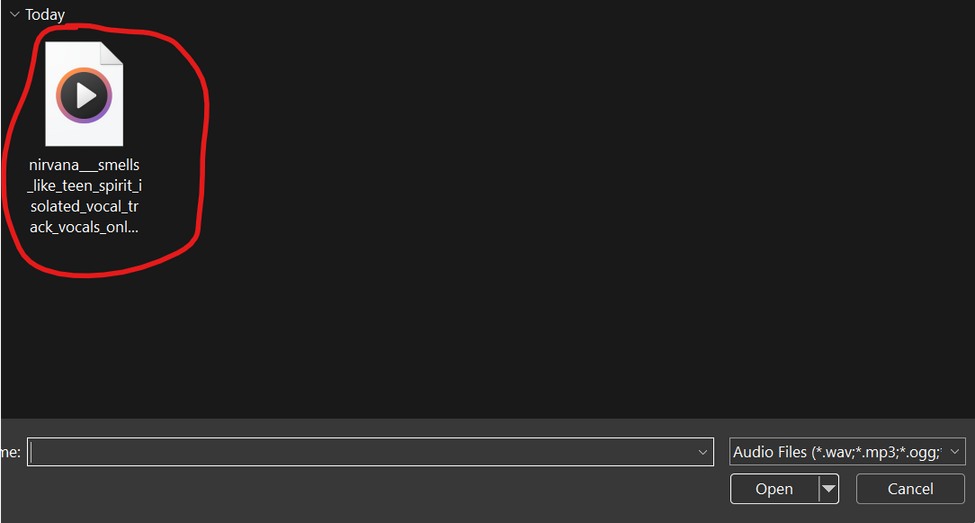
...Bring in a .wav file of a clean solo vocal track...
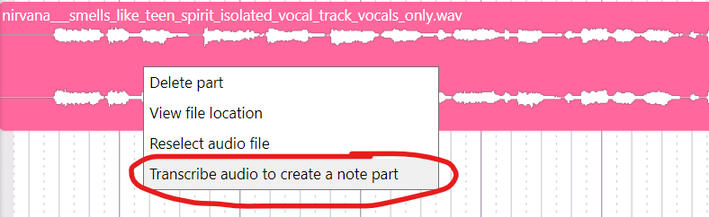
...Right click the audio track and press "Transcribe audio to create a note part"...
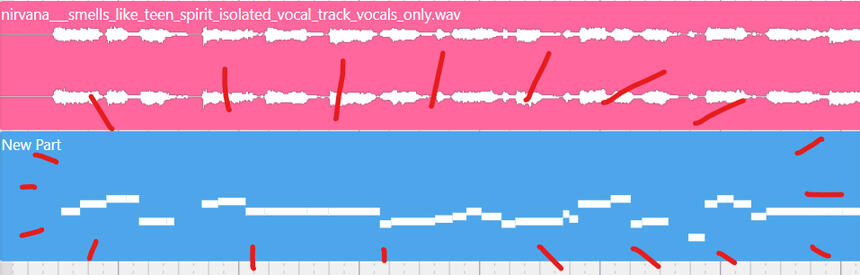
...And now you have a track base to go off of!
Depending on the quality of the vocal sample, you may still need to do some editing for the placements of notes.The standard of quality seems to be (in my observation):
A lack of reverb.
A lack of extreme volume changes between notes. (I assume the tool thinks that low volume = silence.)
A lack of instrumentals.
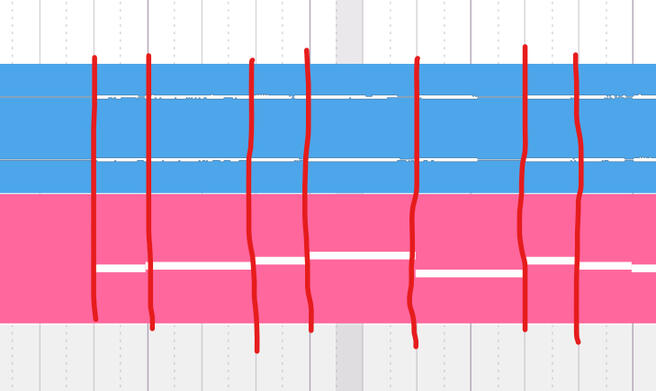
A simple tip to reduce the hassle of timing adjustments:
Align your vocal sample, your part, and your notes to match the project's tempo notations.
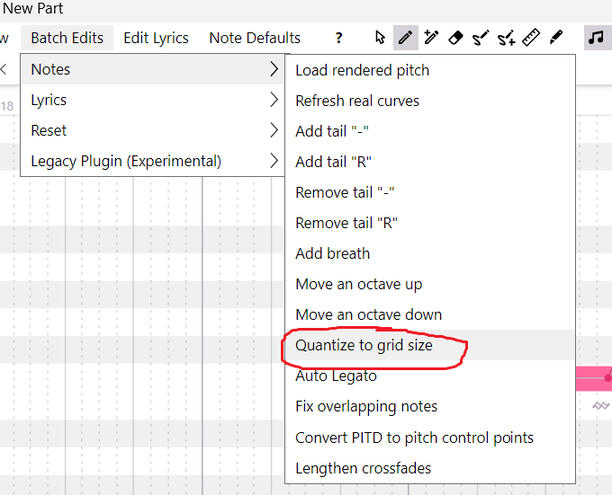
In the "Batch Edits" section in the track editing window, go to "Notes" and press "Quantize to Grid Size."